Category: News

  • Leaked Details Reveal Camera-Equipped AirPods in Development

    Leaked Details Reveal Camera-Equipped AirPods in Development

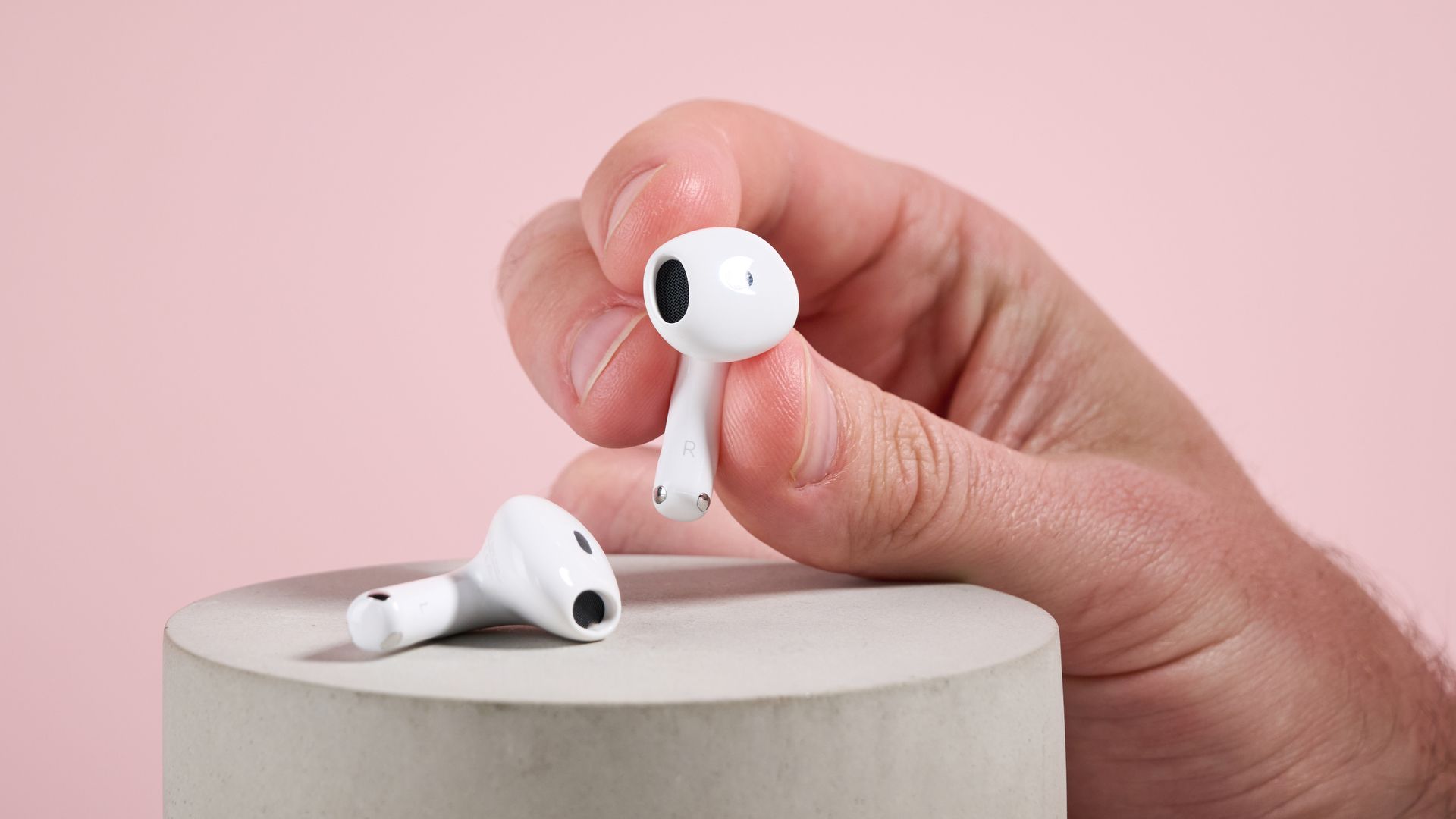
    Recent leaks have revealed that Apple is developing a new version of AirPods equipped with cameras. This development is significant as it could change how users interact with their earbuds, but it also raises potential privacy and regulatory concerns for Apple.

    What Are the Features of the Camera-Equipped AirPods?

    The leaked details suggest that these upcoming AirPods will include built-in cameras capable of capturing video and photos. While specific technical specifications have not been fully disclosed, early reports indicate that the camera quality will be high enough to support advanced functionalities beyond simple image capture.

    Potential Capabilities

    These AirPods could enable users to record video discreetly, possibly for augmented reality (AR) applications or hands-free photography. The integration of cameras into earbuds is a novel approach that could expand the use cases of AirPods significantly, blending audio and visual technology in a single wearable device.

    Why Could This Lead to AirPods Being Banned?

    Privacy advocates and regulators have expressed concerns about the implications of camera-equipped AirPods. The ability to record video discreetly raises fears about unauthorized surveillance and violations of privacy in public and private spaces. This has led to speculation that such devices might face bans or restrictions in certain jurisdictions.

    Apple will likely need to address these concerns through robust privacy features and clear user controls to prevent misuse. The company’s approach to managing these issues will be critical in determining the product’s acceptance and regulatory fate.

    What This Means for Apple and Users

    The introduction of camera-equipped AirPods represents a significant innovation in wearable technology. For Apple, it signals a move to diversify the capabilities of its popular audio accessories, potentially opening new markets and use cases.

    However, the company must balance innovation with privacy and legal considerations. How Apple navigates these challenges could impact the product’s launch timeline and market reception.

    For users, these AirPods could offer new convenience and functionality, but they should also be aware of the privacy implications and local regulations regarding recording devices.

    For more details, see the original report by TechRadar.

    Related coverage includes ClearVoice TTS Brings Advanced Voice Cloning to iOS Devices and How to Change Your Messages Background on iPhone in iOS 26.

    Source: TechRadar
  • ClearVoice TTS Brings Advanced Voice Cloning to iOS Devices

    ClearVoice TTS Brings Advanced Voice Cloning to iOS Devices

    ClearVoice TTS has launched as the first iOS app that runs a state-of-the-art voice cloning model offline on iPhone and iPad. This development is significant for Apple users because it enables advanced text-to-speech (TTS) capabilities without relying on cloud processing, enhancing privacy and responsiveness.

    What is ClearVoice TTS and How Does It Work on iOS?

    ClearVoice TTS uses the OmniVoice model, a sophisticated voice cloning technology that can generate natural-sounding speech from text. The app requires substantial memory resources, using up to 6GB of RAM at peak, which means it is compatible with most modern Macs and newer iPhone and iPad models, including the iPhone 17 Pro.

    Running the model offline means users can convert text to speech without an internet connection, reducing latency and improving data privacy. This capability is notable because voice cloning models of this quality have traditionally required powerful cloud servers.

    Why Does ClearVoice Matter for Apple Users?

    Apple has increasingly focused on on-device processing to enhance user privacy and performance. ClearVoice TTS aligns with this trend by demonstrating that complex AI models can run efficiently on Apple hardware without cloud dependency.

    This app could pave the way for more advanced voice interaction features in iOS and macOS, potentially influencing future Apple software updates or hardware designs that prioritize AI and machine learning capabilities on-device.

    Compatibility and Performance Considerations

    Due to its high RAM requirements, ClearVoice TTS is best suited for users with the latest Apple devices. Older iPhones and iPads may not support the app effectively, limiting its accessibility but ensuring optimal performance where compatible.

    For more details, see the original release on Apple App Store.

    Related reading: Apple Cuts Jobs in Vision Pro and Siri Teams Amid Sales Challenges and macOS 27 Golden Gate Deprecates hdiutil Utility.

    Source: Apple App Store

  • How to Change Your Messages Background on iPhone in iOS 26

    How to Change Your Messages Background on iPhone in iOS 26

    What Is the New Messages Background Feature in iOS 26?

    With the release of iOS 26, Apple has added a new option allowing users to change the background wallpaper in the Messages app on iPhone. This feature has long been available on Android devices, and now iPhone users can personalize their texting experience by setting different backgrounds for conversations. The update aims to reduce the risk of sending messages to the wrong contact by visually distinguishing chats.

    How to Change Your Messages Background on iPhone

    Changing the Messages background in iOS 26 is straightforward but comes with a limitation: the wallpaper applies globally to all conversations rather than individually. To customize your Messages background, follow these steps:

    1. Open the Settings app on your iPhone.
    2. Scroll down and tap on “Messages.”
    3. Look for the new “Background” or “Wallpaper” option and select it.
    4. Choose an image from your Photos or select from preset wallpapers provided by Apple.
    5. Confirm your selection to apply the background to all message threads.

    While this feature does not allow per-contact customization, it offers a fresh way to personalize your messaging interface and helps reduce confusion when texting multiple people.

    Why Does This Matter for Apple Users?

    Until now, iPhone users had limited options for customizing the Messages app appearance, relying on dark mode or light mode themes. The addition of customizable backgrounds in iOS 26 brings Apple closer to feature parity with Android in this regard. More importantly, it enhances user experience by helping prevent messaging mistakes, which can be especially important for users who manage many conversations.

    This update reflects Apple’s ongoing efforts to improve iOS’s personalization capabilities and user interface flexibility.

    For more detailed instructions and tips, see the full guide at ZDNet.

    Related coverage: When Will Apple Announce the iPhone 18 Pro Event?

    Source: ZDNet

  • When Will Apple Announce the iPhone 18 Pro Event?

    When Will Apple Announce the iPhone 18 Pro Event?

    What is the expected timeframe for the iPhone 18 Pro event?

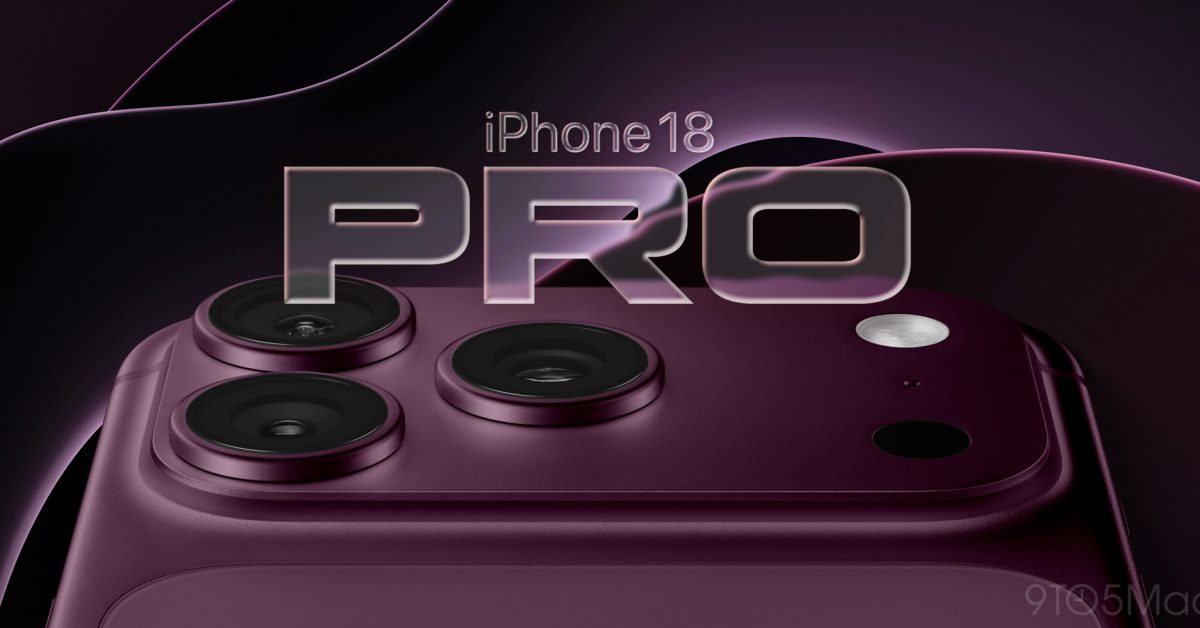
    Apple has not sent out invitations for the iPhone 18 Pro event as of late August 2026. However, an analysis of the company’s announcement history over the past six years reveals a consistent pattern in timing. Typically, Apple holds its iPhone launch events in early to mid-September, which suggests the iPhone 18 Pro event will likely follow this trend.

    Why does the announcement timing matter for Apple and consumers?

    The timing of Apple’s iPhone launch events is crucial for several reasons. For Apple, it sets the stage for marketing campaigns, supply chain logistics, and retail availability. For consumers and industry watchers, the event date signals when new features, designs, and technologies will become official, impacting purchase decisions and competitive positioning in the smartphone market.

    Historical consistency in Apple event scheduling

    Apple’s pattern of announcing new iPhones in early September has been remarkably consistent, providing a reliable forecast for when the iPhone 18 Pro will be introduced. This regularity helps developers, partners, and customers prepare for the new device’s launch.

    Where can you find more information about Apple’s upcoming announcements?

    For ongoing updates about Apple events and product launches, sources like 9to5Mac provide timely and detailed coverage. You can read their full analysis on the expected iPhone 18 Pro event date here.

    Additionally, Them Apples offers related news such as Apple Cuts Jobs in Vision Pro and Siri Teams Amid Sales Challenges and Apple to Launch First Touchscreen MacBook in October, which provide broader context on Apple’s current product and business strategies.

    Source: 9to5Mac

  • Apple Cuts Jobs in Vision Pro and Siri Teams Amid Sales Challenges

    Apple Cuts Jobs in Vision Pro and Siri Teams Amid Sales Challenges

    What led to the job cuts in Apple’s Vision Pro and Siri teams?

    Apple has announced significant layoffs in its Vision Pro and Siri divisions, reflecting challenges in the market performance of its mixed reality headset, the Apple Vision Pro. Despite the initial technical innovation when the Vision Pro launched two years ago, sales have not met expectations beyond early adopters.

    The decision to reduce staff follows a reassessment of the product’s commercial success and the broader strategy for immersive video technology within Apple. The cuts indicate a shift in resource allocation as the company adjusts to the current market realities.

    What does this mean for the future of Apple’s immersive technology?

    Although the layoffs signal a slowdown, Apple has clarified that it has not abandoned immersive video technology. The company still plans to develop a second-generation Vision Pro headset, with a possible release targeted for 2028. This suggests that Apple remains committed to the long-term potential of mixed reality, even as it streamlines its teams to focus on core priorities.

    Apple’s continued investment in immersive tech aligns with broader industry trends, but the company appears to be taking a more cautious approach after the initial Vision Pro launch.

    How does this affect other Apple products and software?

    The job cuts are specific to the Vision Pro and Siri divisions and do not directly impact other Apple product lines. Apple continues to innovate in other areas, including upcoming releases such as the first touchscreen MacBook, detailed in our coverage here. The company’s broader software ecosystem and hardware offerings remain on track despite the restructuring.

    Source: PCMag

  • Apple to Launch First Touchscreen MacBook in October

    Apple to Launch First Touchscreen MacBook in October

    What Is Apple Introducing with the New MacBook?

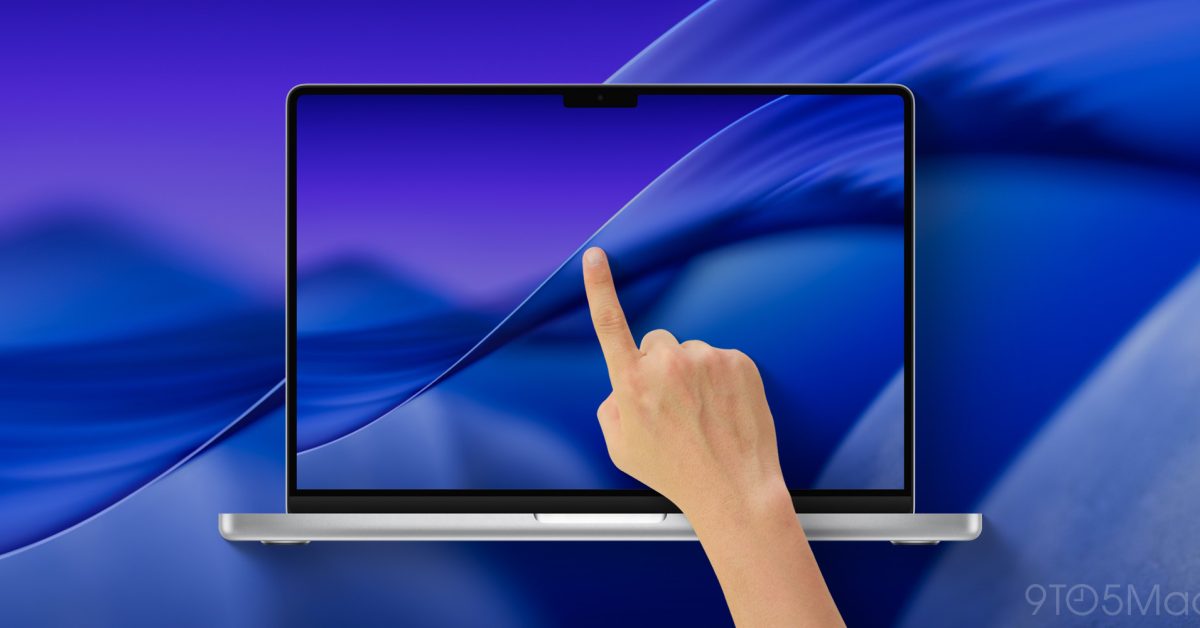
    Apple is preparing to release its first MacBook with a touchscreen display, marking a significant shift in its notebook lineup. This new model is expected to arrive as soon as October 2026, ending over ten years of Apple’s avoidance of touchscreen technology on Mac notebooks. The launch will coincide with a redesign of the MacBook Pro, which is rumored to be branded as the MacBook Ultra.

    Why Does the Touchscreen MacBook Matter for Apple?

    The introduction of a touchscreen MacBook represents a notable change in Apple’s hardware strategy. Historically, Apple has resisted adding touchscreens to MacBooks, citing ergonomic concerns and user experience preferences. However, this move aligns with broader industry trends and consumer demand for more interactive displays, potentially enhancing productivity and creative workflows on macOS.

    Expected Features and Design Changes

    The upcoming MacBook Ultra is anticipated to feature a redesigned chassis alongside the touchscreen, possibly incorporating advanced display technology and improved performance components. This redesign may also influence the overall MacBook lineup, setting a new standard for future Apple notebooks.

    What Does This Mean for macOS and Apple’s Ecosystem?

    With the addition of touchscreen capabilities, macOS may receive updates to optimize touch interactions, improving compatibility with touch gestures and apps. This development could bridge the gap between macOS and iOS, offering users a more seamless experience across Apple devices.

    For more detailed insights, see the full report from 9to5Mac.

    Related coverage on Apple software updates includes macOS 27 Golden Gate Deprecates hdiutil Utility.

    Source: 9to5Mac

  • Shutter+ Remote App Brings Advanced Features to Fujifilm Cameras on iOS

    Shutter+ Remote App Brings Advanced Features to Fujifilm Cameras on iOS

    What is Shutter+ and Why Does It Matter for Fujifilm Users?

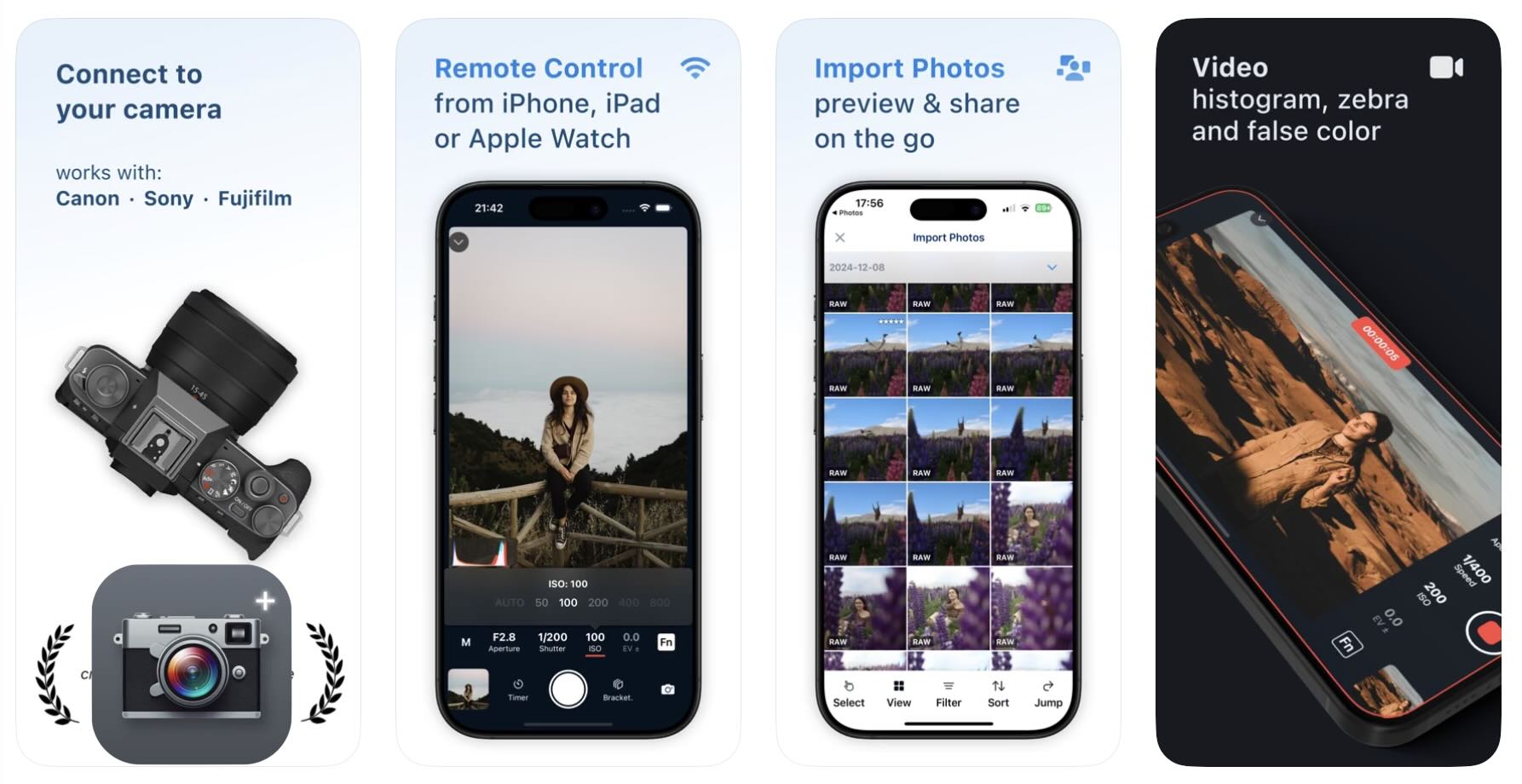
    Shutter+ is a remote camera control app designed for iPhone and iPad that supports Fujifilm cameras. Unlike Fujifilm’s official X App, Shutter+ offers additional functionalities that enhance the shooting experience for photographers using Fujifilm gear. These features include waveform monitoring, zebra patterns for exposure warnings, intervalometer capabilities, and even control via Apple Watch. This expanded feature set provides Fujifilm users with more precise and flexible remote shooting options.

    Key Features of Shutter+ Remote App

    Advanced Exposure Tools

    One of the standout features of Shutter+ is its inclusion of waveforms and zebras. Waveforms allow photographers to visually monitor exposure levels across the frame, helping to achieve accurate lighting. Zebra patterns highlight overexposed areas, which is particularly useful for video recording and high-contrast photography. These tools are not available in Fujifilm’s native X App, making Shutter+ a valuable alternative for users who want more control over exposure settings remotely.

    Intervalometer and Apple Watch Integration

    The app also includes an intervalometer function, enabling users to set timed intervals for capturing photos automatically. This is ideal for time-lapse photography or long exposure shots without needing to manually trigger the shutter each time. Additionally, Shutter+ supports Apple Watch control, allowing users to operate their Fujifilm cameras directly from their wrist, adding convenience and flexibility during shoots.

    How to Get Shutter+ and Compatibility

    Shutter+ is available for download on the iOS App Store for iPhone and iPad users. It supports a range of Fujifilm camera models, making it accessible to many photographers who want to enhance their remote shooting capabilities. For more details and to download the app, users can visit the official page linked below.

    For related Apple software updates, see our coverage on macOS 27 Golden Gate Deprecates hdiutil Utility and CloudGear Unifies Cloud Gaming on Apple TV with New tvOS App.

    Source: FujiRumors

  • macOS 27 Golden Gate Deprecates hdiutil Utility

    macOS 27 Golden Gate Deprecates hdiutil Utility

    What is hdiutil and why is its deprecation significant?

    In macOS 27 Golden Gate, Apple has officially deprecated hdiutil, a command-line utility widely used for creating, manipulating, and managing disk images (DMG files). This change marks a significant shift in how macOS handles disk images, which are commonly used for software distribution and backups.

    The removal of hdiutil impacts developers, system administrators, and power users who rely on scripting and automation involving disk images. Since hdiutil has been a core tool for these tasks for many years, its deprecation suggests Apple is moving towards new methods or tools for disk image management, possibly integrated into newer system frameworks or utilities.

    What alternatives does Apple provide for disk image management?

    Current options and future directions

    As of macOS 27 Golden Gate, Apple has not publicly detailed a direct replacement for hdiutil. Users and developers are encouraged to explore other system APIs or third-party tools for disk image operations. Apple’s move may indicate a shift towards more secure, efficient, or modernized approaches to disk image handling, potentially leveraging newer system services or graphical utilities.

    For those maintaining automation workflows, it is advisable to review existing scripts and tools that depend on hdiutil and begin testing alternatives to ensure compatibility with macOS 27 and beyond.

    How does this change affect Apple users and developers?

    The deprecation of hdiutil primarily affects developers and IT professionals who use the utility for tasks such as mounting, unmounting, creating, and converting disk images. End users who interact with disk images through Finder or other graphical interfaces may see no immediate impact.

    Developers should monitor updates from Apple for new tools or APIs that replace hdiutil functionality. This change also underscores Apple’s ongoing evolution of macOS, focusing on modernizing system utilities and potentially enhancing security and performance.

    For more detailed technical insights, see the original article at Lapcat Software.

    Explore related Apple news such as CloudGear Unifies Cloud Gaming on Apple TV with New tvOS App and Apple Accepts Trade-Ins for Older iPhone Models Than Expected.

    Source: Lapcat Software

  • CloudGear Unifies Cloud Gaming on Apple TV with New tvOS App

    CloudGear Unifies Cloud Gaming on Apple TV with New tvOS App

    What is CloudGear and why is it important for Apple TV?

    CloudGear is an indie-developed tvOS app that integrates various cloud gaming platforms into a single app for Apple TV users. This innovation is significant because gaming on Apple TV has traditionally been limited and fragmented, with users needing to switch between different apps for different cloud gaming services. CloudGear simplifies this by offering a unified interface, potentially increasing the appeal of Apple TV as a gaming device.

    How does CloudGear work and which platforms does it support?

    CloudGear aggregates multiple cloud gaming services, allowing users to access games from different providers without leaving the app. While the specific platforms supported were not detailed in the announcement, the app’s goal is to cover all major cloud gaming services available on Apple TV. This consolidation could streamline the gaming experience by reducing the need to manage multiple accounts and apps.

    Impact on Apple TV’s gaming ecosystem

    By bringing cloud gaming platforms together, CloudGear addresses a key limitation of Apple TV’s gaming ecosystem—its lack of native, high-performance gaming options. This could attract more gamers to the platform, increasing Apple TV’s utility and value. It also highlights the potential for indie developers to innovate within the Apple ecosystem, creating solutions that enhance user experience.

    For more details, visit the 9to5Mac article.

    Related coverage: Apple Accepts Trade-Ins for Older iPhone Models Than Expected

    Source: 9to5Mac

  • Apple Accepts Trade-Ins for Older iPhone Models Than Expected

    Apple Accepts Trade-Ins for Older iPhone Models Than Expected

    Which iPhone Models Are Eligible for Trade-In?

    Apple has expanded its trade-in program to accept iPhone models that are older than many users might expect. This means that even devices that haven’t been used for several years can still be traded in for credit towards purchasing a new iPhone. The oldest iPhone model eligible for trade-in is older than commonly assumed, providing more users with the opportunity to upgrade their devices at a reduced cost.

    Why Does This Matter for Apple and Consumers?

    This broader eligibility benefits both Apple and consumers. For Apple, it encourages device upgrades and helps maintain a steady flow of customers purchasing new iPhones. Consumers benefit by receiving trade-in credit for devices that might otherwise be discarded or left unused, making new iPhones more affordable. This initiative also aligns with Apple’s environmental goals by promoting device recycling and reducing electronic waste.

    How to Trade In Your Old iPhone

    To trade in an eligible iPhone, users can visit Apple’s official website or an Apple Store. The trade-in value will depend on the model and condition of the device. After assessment, the credit can be applied towards the purchase of a new iPhone or other Apple products. For more details on the trade-in process and eligible devices, users should consult Apple’s trade-in program page.

    For additional context on Apple’s hardware advancements, see our coverage of TSMC’s 2nm Chip: What It Means for Apple’s iPhone Performance.

    Source: Slashdot